
The average contractor juggles client updates, subcontractor schedules, permits, change orders, payment follow-up, and new bid requests all at once. Most teams do strong craft work, but lose margin because coordination breaks down under volume.
When response time slips, bids go cold. When updates are delayed, homeowners get frustrated. When subcontractors miss windows, timelines drift and profit disappears. That is why many contractors feel busy all day but still behind at night.
AI operators solve this by acting like a project coordinator that never goes offline. They respond to incoming leads, keep clients informed, and keep subcontractors aligned while your crew stays focused on build quality.
This guide breaks down what AI for contractors looks like in practice, where results show up first, and how to roll it out in under two hours.
Why contractors lose revenue to coordination gaps
Contractors lose revenue when lead response, client communication, and subcontractor handoffs depend on manual texting and callback loops. AI works best here by handling the repetitive communication layer first, so project managers can stay focused on scope, schedule, and quality control.
The issue is rarely effort. The issue is context switching. Project leads can only answer so many calls and texts while managing active job sites.
- Bid requests often go unanswered for hours while teams are on site.
- Homeowners request status updates multiple times per day.
- Subcontractor changes create cascading schedule conflicts.
- Change orders stall while teams gather costs and approvals manually.
"We were not losing work because of craftsmanship. We were losing work because we were too slow to respond while building." - Operations lead, regional remodeling firm
What an AI operator does for a contracting business
A contractor-focused AI operator combines lead capture, project communication, and coordination workflows in one layer.
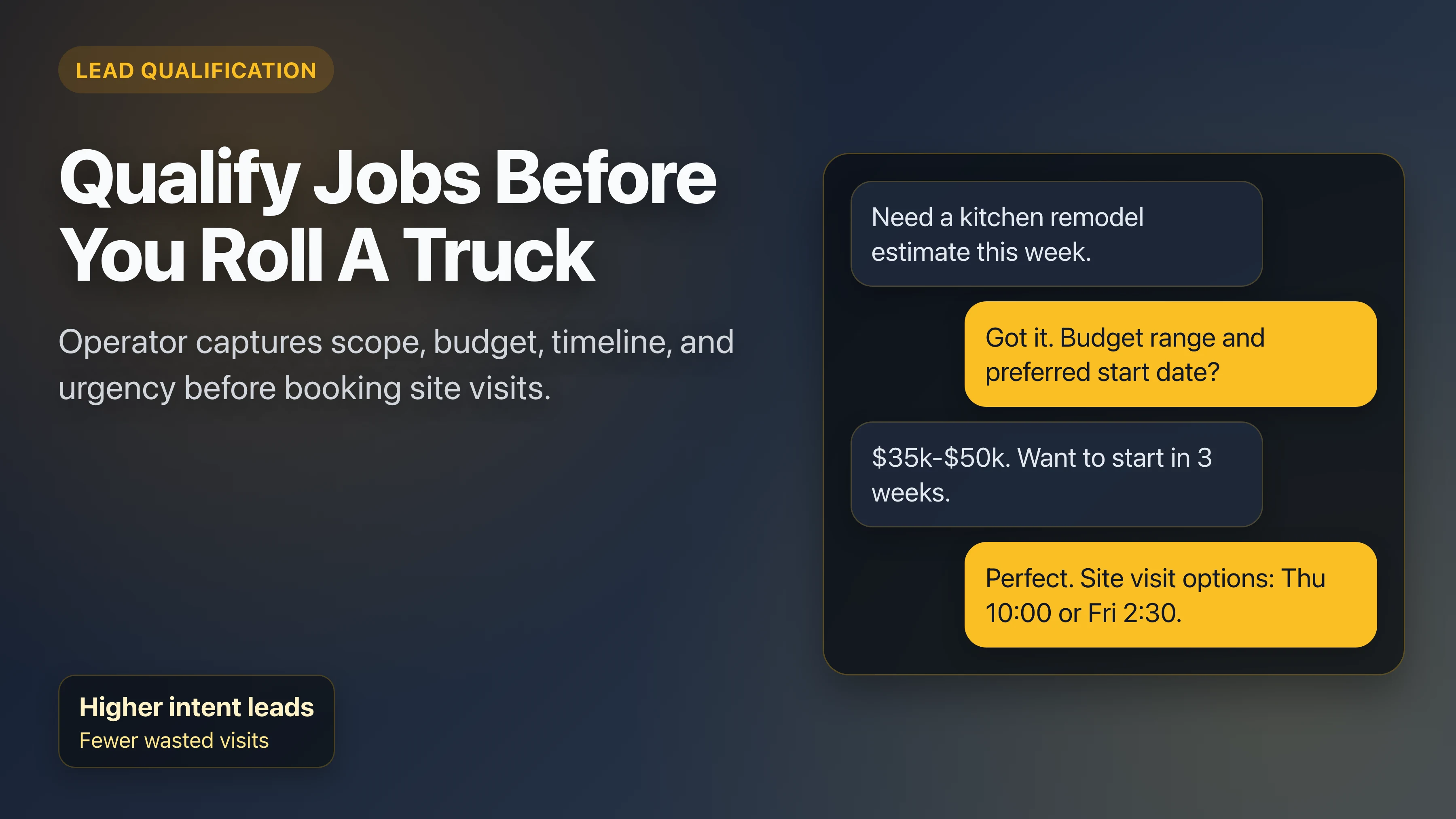
- Lead qualification: captures project type, budget, timeline, and photos before booking a site visit.
- Client communication: sends progress updates and answers routine status questions automatically.
- Subcontractor coordination: sends reminders and collects status updates to reduce missed handoffs.
- Change order workflow: gathers request details and routes draft updates for approval.
- Payment follow-up: sends reminders tied to contract milestones.
Most contractors start with lead response and client updates, then add change-order and subcontractor workflows once the core response flow is stable.

What AI for contractors does not do
AI can remove coordination drag, but it does not replace core construction decisions or field execution. The strongest results come when teams keep clear ownership boundaries.
- It does not replace licensed trade work, site supervision, or permit accountability.
- It does not finalize legal terms or sign contracts on your behalf.
- It does not estimate scope without your pricing rules and approval logic.
- It does not remove the need for PM oversight on high-risk schedule changes.
Setup required before go-live
Most contractor teams launch quickly when they define channels, routing rules, and approval boundaries upfront. This keeps conversations fast while preventing workflow drift.
In practice, getting started is straightforward: connect core channels, map project types, and confirm escalation paths in a few integration clicks. The complexity is not in setup, it is in maintaining consistent decision rules as lead volume grows.
- Active inbound channels (SMS, email, and/or web lead forms).
- Service-area, project-type, and budget qualification rules.
- Escalation paths for urgent jobs, permit issues, and change-order exceptions.
- Template library for homeowner updates, site-visit confirmations, and follow-up.
Implementation checklist (first 7 days)
- Connect intake channels and confirm every inquiry lands in one queue.
- Set qualification prompts for budget, timeline, and project-fit filtering.
- Enable scheduling and reschedule flows with clear owner notification rules.
- Load change-order and milestone communication templates.
- Review real conversations daily and verify routing quality by trade and job size.
Case snapshots
Seattle remodeling team
Implemented automated homeowner updates and subcontractor reminders. Within two months, review sentiment around communication improved and PM call volume dropped.
Austin general contractor
Added AI lead qualification and site-visit scheduling. Response time improved from same-day follow-up to near-immediate engagement on inbound requests.
Miami builder
Rolled out change-order intake and approval routing. Turnaround time dropped from days to hours, reducing project friction and preserving schedule confidence.
The 9 contractor workflows that usually create the fastest lift
Most teams do not need a full-system rebuild to see gains. The fastest wins usually come from automation layers around response speed, update cadence, and handoff consistency. When these workflows are configured clearly, owners get fewer fire-drills and project managers get better visibility.
- Inbound lead triage: ask project-fit questions before assigning site visits.
- First-response automation: confirm receipt immediately and set next-step expectations.
- Site-visit booking: offer time windows based on actual crew availability.
- Pre-visit prep: collect photos, access details, and scope notes before arrival.
- Milestone updates: send proactive status messages to reduce inbound "any update?" traffic.
- Subcontractor reminders: trigger confirmations and status checks before dependency windows.
- Change-order intake: capture request context and route draft updates for approval.
- Invoice follow-up: send timed reminders tied to completion milestones.
- Review and referral asks: trigger follow-up after successful handover.
These workflows are practical because they map to existing contractor behavior. You are not asking crews to learn a new trade process. You are tightening communication reliability around work your team already performs daily.
Residential vs commercial rollout: what actually changes
Contractors often run mixed books of business. The same AI layer can support both residential and commercial work, but qualification and routing logic should be different. The key is to keep one operational backbone while adapting intake depth and escalation rules by project type.
| Area | Residential focus | Commercial focus |
|---|---|---|
| Qualification | Scope, budget, preferred start window. | Decision-maker path, site readiness, timeline constraints. |
| Scheduling | Homeowner-friendly windows and reminder cadence. | Coordination with building access and stakeholder availability. |
| Updates | Clear progress and next-step communication. | Milestone status with dependency and approval context. |
| Escalation | Urgent homeowner blockers and timeline slips. | Permit, compliance, or scope-change exceptions. |
If you only run residential work, keep your setup lightweight and speed-focused. If you run commercial or mixed projects, invest extra setup time in routing logic and escalation thresholds so high-value opportunities get owner-level attention at the right moment.
Get started straight away plan without disrupting your build schedule
Most rollout failures are not technology failures. They are sequencing failures. Teams try to automate every edge case on day one, then lose confidence when handling rules are unclear. A phased rollout keeps risk low and momentum high.
Immediate start: Foundation
- Connect channels and verify every new inquiry receives a response path.
- Define service area, project categories, and qualification thresholds.
- Set escalation rules for urgent leads and schedule conflicts.
Right after connect: Core workflow activation
- Enable site-visit booking and confirmation flow.
- Load homeowner update templates for pre-start and milestone checkpoints.
- Activate subcontractor reminders for high-risk handoff windows.
Ongoing: Optimization and scaling
- Monitor outcomes and escalation quality while the operator learns from live traffic.
- Add change-order intake and approval routing.
- Activate invoice follow-up and post-job review requests.
This phased approach keeps your PM team in control. You can validate each layer, document expected behavior, and scale only after confidence is high.
How to measure success in the first 30 days
Contractors should measure operational and commercial outcomes together. Better communication without better pipeline conversion is incomplete. Better conversion with poor delivery communication creates long-term brand damage. Track both.
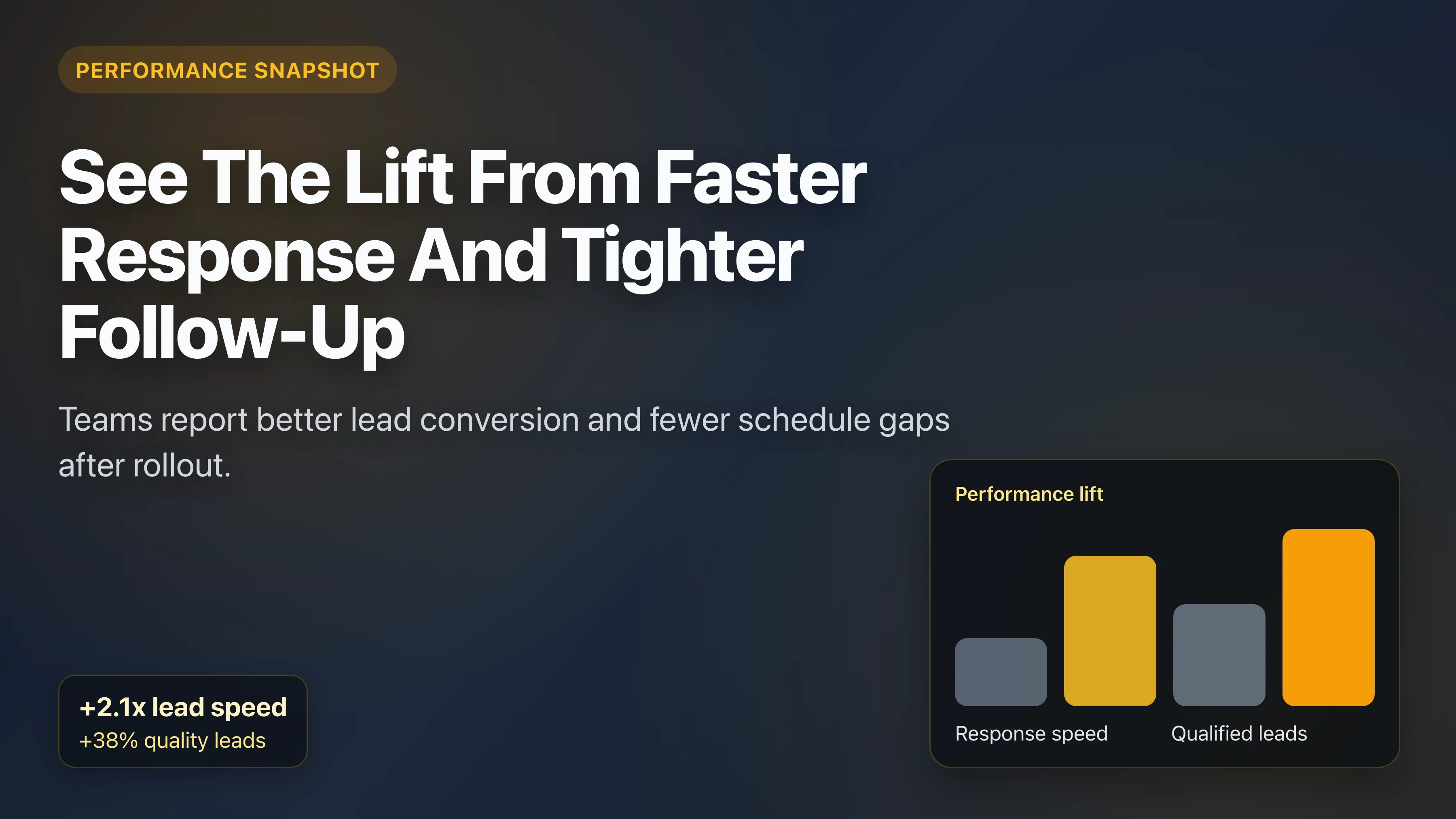
- Speed-to-lead: median first-response time by channel.
- Qualified visit rate: share of site visits that pass your fit criteria.
- Update reliability: completed milestone updates vs expected updates.
- Change-order turnaround: time from request to approved next step.
- Payment follow-up completion: reminder-to-payment cycle time.
Review these metrics with one owner and one project lead on a fixed checkpoint cadence (typically once a week). Treat it as governance, not constant retraining. The operator self-improves from business memory and conversation outcomes, while your team intervenes only when policy or routing needs to change.
For teams that want clean reporting, keep one scoreboard with lead source, response speed, qualified-site-visit rate, and close-out communication quality, and review it on a consistent cadence (usually weekly). This prevents "activity over outcome" reporting and keeps decisions tied to pipeline quality, margin protection, and customer experience instead of vanity message volume.
Best fit vs not ideal fit
The right expectation is crucial. AI for contractors performs best when teams want faster response and cleaner communication consistency around an existing delivery process.
Best fit
- Teams handling steady inbound leads across multiple channels.
- Businesses with frequent schedule changes and update demands.
- Owners who want tighter follow-up without adding admin headcount.
Not ideal fit
- Teams that refuse any standardized communication process.
- Businesses that do not want basic qualification or escalation rules.
- Operations expecting AI to replace field leadership decisions.
If your team is in the best-fit profile, start with one trade workflow and scale from there. If you are in the not-ideal profile, improve process hygiene first, then layer automation.
This fit check matters because it protects rollout quality. A narrow, well-owned deployment almost always outperforms a broad launch with weak operating rules.
Treat clarity as leverage: the clearer your routing and approval model, the faster results compound across bidding, delivery, and follow-up.
Why StayAhead wins against generic automation stacks
Many teams compare StayAhead against general-purpose automation tools. The key difference is operator quality for trade workflows, not just raw automation flexibility.
- Trade-first UX: built for contractors, not repurposed from generic SaaS templates.
- Faster start-up: teams can get started straight away with a few integration clicks.
- Operational depth: lead routing, updates, change orders, and follow-up in one layer.
- Lower admin burden: fewer manual handoffs and less channel-switching for PMs.
Common rollout mistakes and how to avoid them
Contractor teams rarely fail because the concept is wrong. They fail because launch assumptions stay implicit. If escalation thresholds, qualification criteria, and update ownership are unclear, the system becomes noisy or inconsistent. Good rollout quality comes from explicit operating rules.
- Too broad at launch: teams activate every workflow at once and lose signal quality.
- No ownership map: no one is responsible for exception handling and scorecard health.
- Weak escalation boundaries: urgent scenarios are not clearly routed to the right person.
- Template mismatch: message tone does not reflect how the business actually communicates.
- No measurement cadence: teams cannot tell whether speed and conversion are improving.
The fix is simple: designate one owner, run a short checkpoint on a consistent cadence (usually weekly), and keep a single improvement backlog for policy changes. Let the operator handle continuous learning from day-to-day conversations.
Example operating day with AI handling front-line coordination
A practical way to evaluate fit is to map one operating day. Below is a typical pattern for a mid-size contractor with residential and light commercial volume.
- 6:00-8:00 AM: overnight inquiries are qualified and organized before crews dispatch.
- 8:00-11:00 AM: site-visit confirmations and homeowner updates go out as projects start.
- 11:00 AM-2:00 PM: change requests are captured, scoped, and routed for internal review.
- 2:00-5:00 PM: subcontractor status checks identify at-risk handoffs early.
- After hours: new leads still get first response, qualification, and next-step guidance.
This is where most teams notice impact first: fewer missed inbound opportunities, lower PM interruption load, and more predictable communication quality across every active project.
FAQ: AI for contractors
Can it coordinate my subcontractors without replacing my PM tools?
Yes. It sits on top of your current process and handles reminder and status communication. Your PM tool remains the system of record.
Will this make communication sound robotic to homeowners?
No. You control tone and templates. Most teams use clear, practical language that feels like a consistent project coordinator rather than a generic bot.
How quickly can a contractor team launch?
Teams can get started straight away once integrations are connected, and quality compounds automatically as the operator learns from memory and live conversations.
More AI Solutions for Trade Businesses
Stop losing margin to communication and coordination drag
See how StayAhead helps contractors capture leads faster, keep clients informed, and keep projects moving without adding headcount.
Sign up with email, choose a plan, and add your card to start your 7-day free trial. Cancel anytime.