Stop Juggling 47 Tasks.
Let AI Coordinate Your Projects.
Operator handles client updates, subcontractor coordination, change orders, and lead qualification so your team can focus on building.

Last updated: February 18, 2026 (workflows and capabilities reviewed for current release).
Sign up with email, choose a plan, and add your card to start your 7-day free trial. Cancel anytime.
1,200+
Contractor teams
67K+
Projects coordinated
4.9 star
Average rating
20 hrs
Saved per week
You are losing margin to coordination overload
Contractor teams gain the fastest lift by fixing speed-to-lead, homeowner updates, and crew coordination first. Operator handles those repetitive communication steps automatically, so project leaders can focus on approvals, planning, and site delivery instead of endless call-tag.
Client update fatigue
Homeowners want frequent updates. Delays in communication create stress and can hurt reviews even when build quality is strong.
Sub scheduling conflicts
Small delays across trades compound quickly, pulling project managers into constant follow-up calls.
Slow bid follow-up
Inbound opportunities cool off when your team is on site and cannot respond quickly.
Change-order bottlenecks
Manual estimate and approval loops increase timeline risk and create avoidable project tension.
What Operator does not do for contractor teams
Operator is an execution layer around communication and workflow coordination. It is not a replacement for licensed trade judgement, contract authority, or field supervision.
- It does not replace your superintendent, PM, or licensed tradespeople.
- It does not approve legal terms or sign change orders without your approval path.
- It does not remove QA responsibility for scope, safety, and code compliance.
- It does not force a rip-and-replace migration from your current operating stack.
Setup required for reliable rollout
Teams that launch cleanly define channels, routing, and approvals before day one. That keeps response quality high and prevents operator drift as volume increases.

- At least one inbound channel live (SMS, email, or web form).
- Service-area and project-type qualification questions by job category.
- Escalation rules for urgent jobs, budget exceptions, and permit blockers.
- Approved templates for proposals, schedule updates, and payment reminders.
Implementation checklist
- Connect channels and validate that every lead gets a first response path.
- Map qualification logic for residential and commercial opportunities.
- Set scheduling, rescheduling, and owner-alert thresholds.
- Load update, proposal, and follow-up templates with your tone and rules.
- Run a short owner checkpoint on a fixed cadence (typically weekly) and adjust policy only when needed.
Best-fit teams and adoption pattern
Operator is usually the strongest fit for contractor teams with consistent inbound volume and recurring communication pressure across clients, crews, and vendors. Most teams start with one workflow set, then expand once response quality and conversion consistency stabilize.
Strong fit
- Growing teams handling mixed residential and commercial work.
- Businesses with visible delays in lead response or client updates.
- Operators who want more consistency without expanding admin overhead.
Needs prep first
- Teams with no defined qualification process for inbound jobs.
- Operations with no escalation owner for urgent project exceptions.
- Businesses expecting AI to replace field leadership decisions.
A practical adoption order is lead intake and booking first, homeowner updates second, then change-order and payment follow-up once the base layer is reliable.
What Operator does for contractor teams
Lead qualification
Captures scope, budget, timeline, and project details before booking site visits.
Booking and rescheduling
Books appointments, confirms attendance, and handles reschedules without call-tag.
Quote and proposal drafts
Assembles scope details into draft estimates and proposals your team can approve quickly.
Automated client updates
Sends milestone updates and handles common timeline questions across channels.
Subcontractor reminders
Confirms schedules, gathers status reports, and flags risks early.
Change-order workflow
Captures requests and routes draft timeline and pricing updates for approval.
Inspection and permit support
Sends reminders tied to key milestones so inspections stay on track.
Invoice and payment follow-up
Sends invoices, milestone reminders, and nudges that improve collection consistency.
Review and referral requests
Triggers post-job review asks and referral outreach once milestones are completed.
Reactivation follow-up
Re-engages old leads and past clients with timely check-ins and seasonal offers.
What changes in your first week (after getting started straight away)
Most contractor teams do not need a full process overhaul to get results. Operator sits on top of your current stack and fixes the response and follow-up layer first. That means your PM software, calendar, and field process can stay intact while customer communication and lead throughput improve quickly.
Hour 0-2
Channel setup
Connect SMS, email, and web-form intake. Define which message types should trigger owner alerts versus standard automated handling.
Day 1
Lead qualification rules
Add scope, budget, timeline, and location questions by project type so your team stops burning time on low-intent calls and poor-fit opportunities.
Days 2-3
Update templates
Configure homeowner update templates for key milestones: pre-start, schedule shifts, inspection windows, handover, and final follow-up.
Week 1 learning
Self-improving loop
Review real conversations and confirm escalation policy while the operator keeps improving from memory and real-world outcomes.
How a contractor lead gets handled in under 10 minutes
Speed is usually where deals are won or lost. A homeowner or facility manager contacts 2-4 companies, and the first clear response often sets the shortlist. Operator is built to compress this first-response window without forcing your team to live on their phones.
- Minute 0-1: captures the inquiry and confirms service area.
- Minute 1-3: asks project-fit questions to qualify seriousness.
- Minute 3-5: proposes next-step slots based on your availability rules.
- Minute 5-7: logs scope notes and sends confirmation details.
- Minute 7-10: notifies the right team member only if escalation is needed.
The result is fewer stale leads, fewer unnecessary callback loops, and better consistency across residential and commercial opportunities.
Built for residential, commercial, and mixed crews
Residential remodelers
Prioritize homeowner communication, schedule-window certainty, and clean handoff messaging to reduce review risk and keep referral velocity high.
Commercial contractors
Add deeper qualification for decision-maker access, permit status, site readiness, and timeline constraints before dispatching site visits.
Generalist teams
Route by job type and urgency so the same communication system can support small jobs, multi-trade projects, and repeat maintenance clients.
Works with your existing operating stack
You do not need to replace your core systems to run Operator. Teams typically keep their current scheduling, estimating, and job tracking tools while Operator handles the communication and execution layer around those systems.
- Keep your calendar and dispatch flow exactly as-is.
- Keep your current quote and invoice tools if your team prefers them.
- Add Operator for lead intake, updates, reminders, and follow-up consistency.
- Escalate only exceptions to PMs and owners instead of every single message.
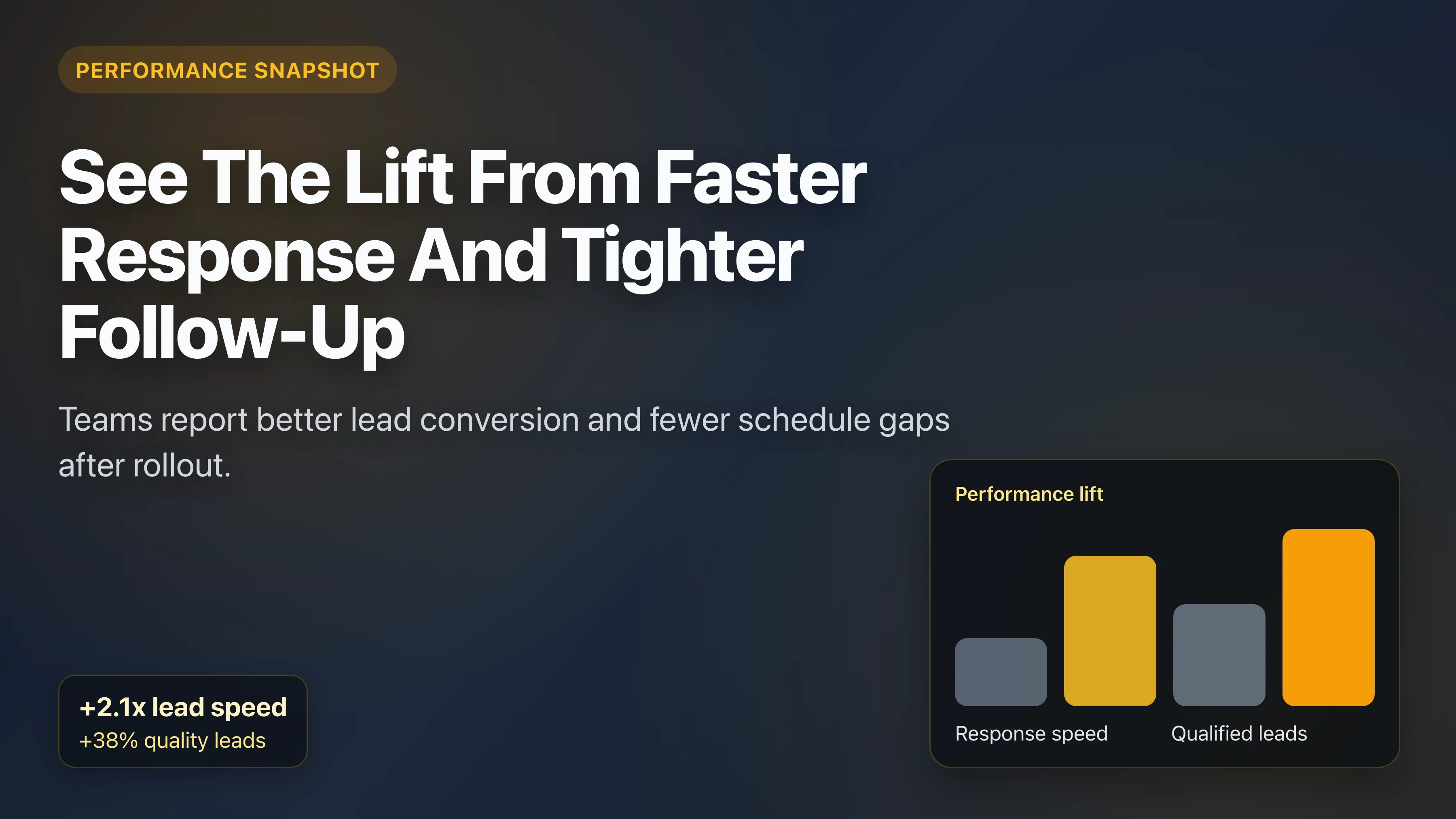
Results teams report after rollout
"Our project managers stopped spending half their day on update texts. Homeowners felt more informed and our timeline conversations got easier."
Summit Renovations
Seattle, WA
20 hrs/week saved
Higher client satisfaction
"Lead response speed changed our close rate. Qualified requests now get a quick answer, and our site visits are much higher quality."
Elite Construction
Austin, TX
Faster follow-up
Better bid conversion
"Change-order turnaround dropped from days to hours. Projects feel less chaotic and we spend more time building."
Precision Builders
Miami, FL
Fewer delays
Smoother approvals
Simple pricing that beats manual coordination cost
| Solution | Cost/Month | Availability | Coordinates Workflows |
|---|---|---|---|
| Stay Ahead | $24 | 24/7/365 | Yes |
| Project coordinator | $4,000+ | Business hours | Manual |
| Answering service | $500-$1,000 | 24/7 | No |
60-Day Money-Back Guarantee
If Operator does not improve your coordination and lead response outcomes, you are covered.
Common Questions
Can it coordinate subcontractors?
Yes. Operator sends reminders, collects updates, and flags issues before they cascade into schedule delays.
Can I keep my existing software stack?
Yes. Operator is designed to sit on top of your existing systems and automate communication layers around them.
Does it work for residential and commercial work?
Yes. Qualification and communication workflows can be tailored to each project type.
How quickly can we launch?
Most teams get started straight away once integrations are connected and a quick test pass is complete.
Can we start with one workflow before full rollout?
Yes. Many teams start with inbound lead qualification only, then add homeowner updates, subcontractor reminders, and invoice follow-up once they validate results.
Does this replace my project management platform?
No. Operator is best used as an execution and communication layer that works with your existing stack, reducing manual coordination overhead around your core PM systems.
Related trade playbooks
If you run mixed crews or overlapping service lines, these pages help you deploy the right workflow set by trade.
AI for Plumbers
After-hours lead capture, emergency triage, and rapid schedule booking.
AI for Electricians
Faster bid response, qualification, and permit/inspection communication.
Read: AI for Plumbers
Real-world examples and rollout steps for plumbing businesses.
Read: AI for Electricians
How electrical teams improve bid speed and conversion quality.
Stop drowning in coordination. Start building.
Launch Operator for your contractor team and reclaim time from manual updates, schedule chasing, and delayed follow-up.
Sign up with email, choose a plan, and add your card to start your 7-day free trial. Cancel anytime.